
Within the Main Software update 7844 (01/22/2026), an enhancement has been added to allow agencies to apply a Supervisor Approval signature to Physician’s Orders if needed.
The process is the same as adding Supervisor Approval to MSW or Therapy Assessment.
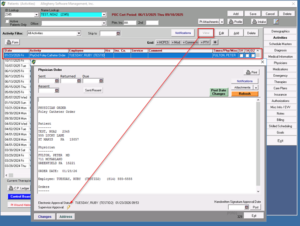
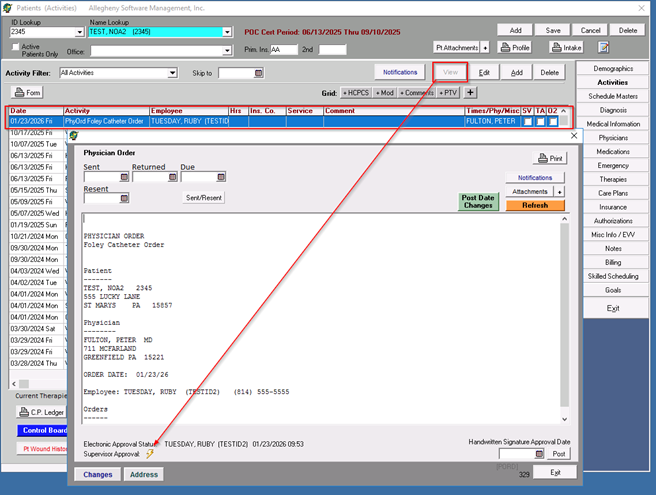
- To add Supervisor Approval, the user will highlight the order and click the VIEW button. A secondary window will appear, and the user will see a lightning bolt next to Supervisor Approval at the bottom of the screen.
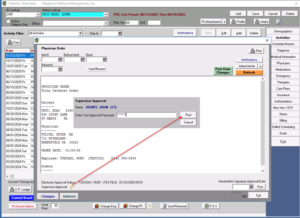
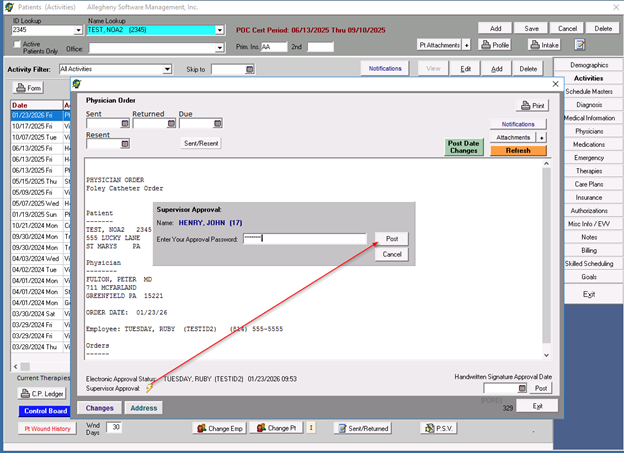
- The user will click on the lightning bolt, and another window will appear for the Supervisor Approval. The user will enter their CLINICAL LOGIN PASSWORD and select post.**THIS PASSWORD IS THE USER’S CLINICAL LOGIN PASSWORD, NOT THEIR APPROVAL PASSWORD*
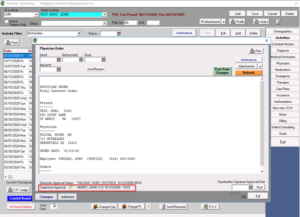
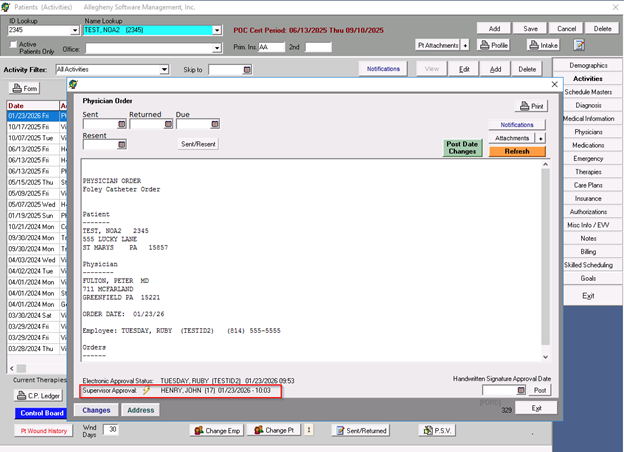
- The Supervisor’s Name, date and time will now display
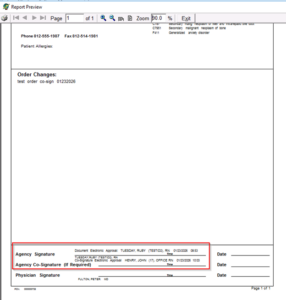
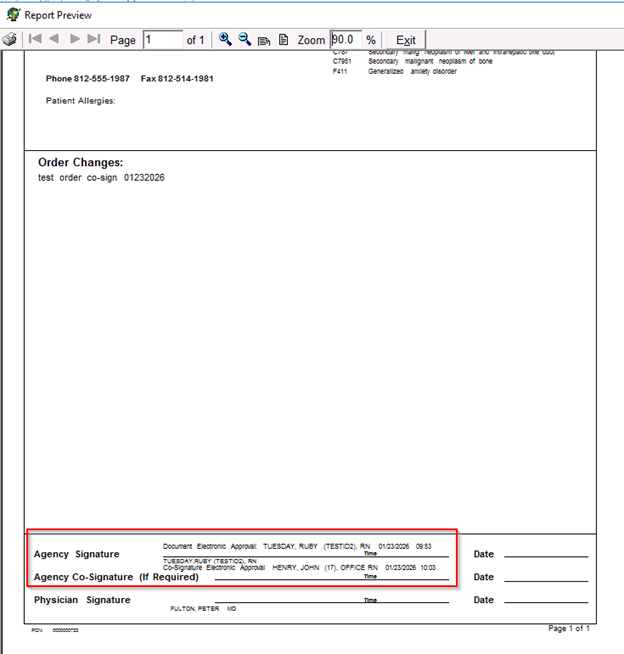
- Both the Clinician’s Approval and the Supervisor’s Approval will display at the bottom of the printed form along with the date and time the approval was done
**The Supervisor Approval for Physician Orders can be applied from the Activities Screen and/or the Control Board>Pt Activity>Physician Orders within the Main Software. **
This enhancement will be available within the Clinical Software in the near future.