
The programmer was able to add an enhancement for an Employee to be assigned to a Team and up to 2 additional Notification Groups
The first group is the existing TEAM field under the EMPLOYEE>Demographics screen. He then was able to free up more fields to add 2 “Additional Notification Groups”
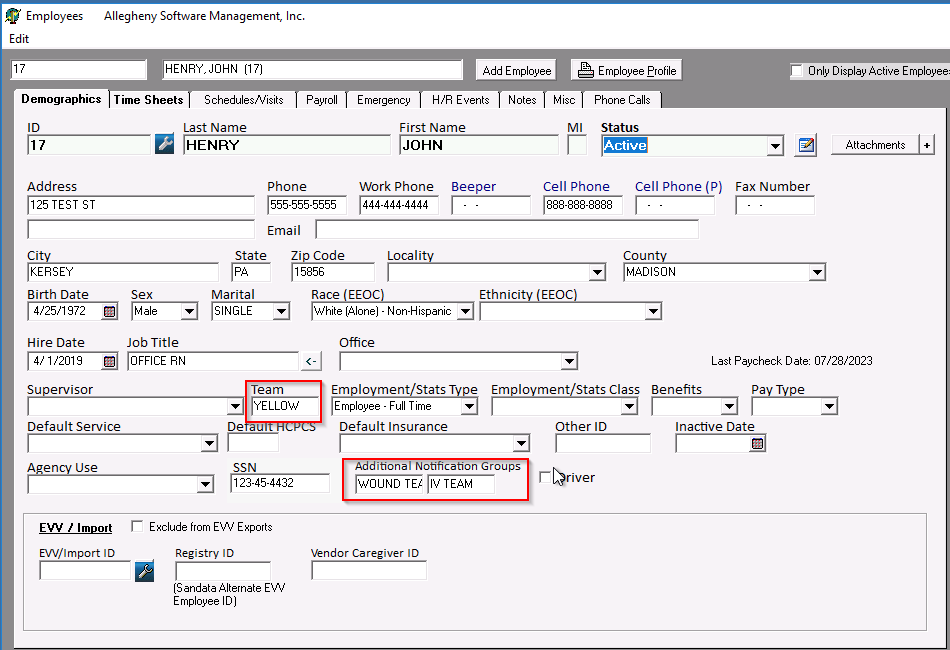
Once an employee has been assigned to either a TEAM and/or Additional Notification Group, the user can then include them in Group Notifications.
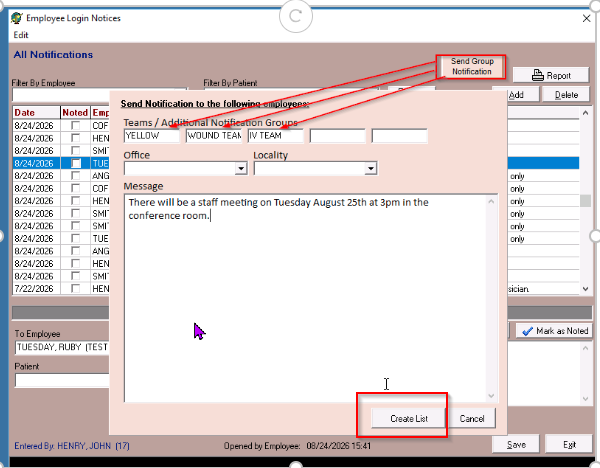
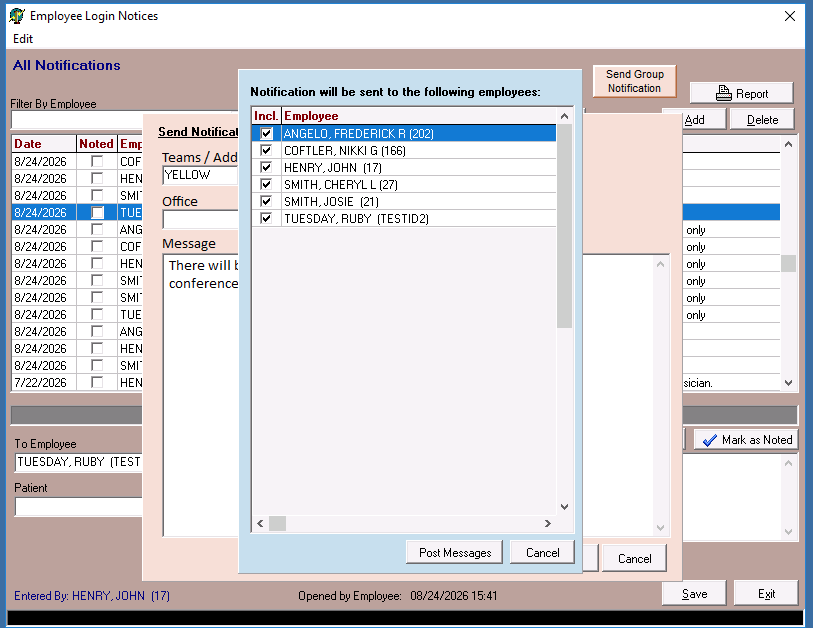
The user will enter the Team and/or Additional Notification Group, create the message, and then select Create List. The names of the employees associated with the Team and/or Additional Notification Groups will be displayed. The user can then Post Message and the notification will be sent.
This enhancement is available in Main Software version 7944 dated 08/24/2026